
Staffa
A small, opinionated TypeScript component library for the Aberdeen reactive UI library.
import A from "aberdeen";import * as S from "staffa";
const $user = A.proxy({ name: "", email: "" });
S.main({ title: "Sign up", maxWidth: "40rem", content: () => {  S.form({    submit: () => S.dialog({ header: "Submitted", content: () => A.dump($user) }),    content: () => {      S.textline({ label: "Name", required: true, bind: A.ref($user, "name") });      S.textline({ label: "Email", type: "email", bind: A.ref($user, "email") });    },    actions: () => S.button({ content: "Create account", type: "submit" }),  });}});
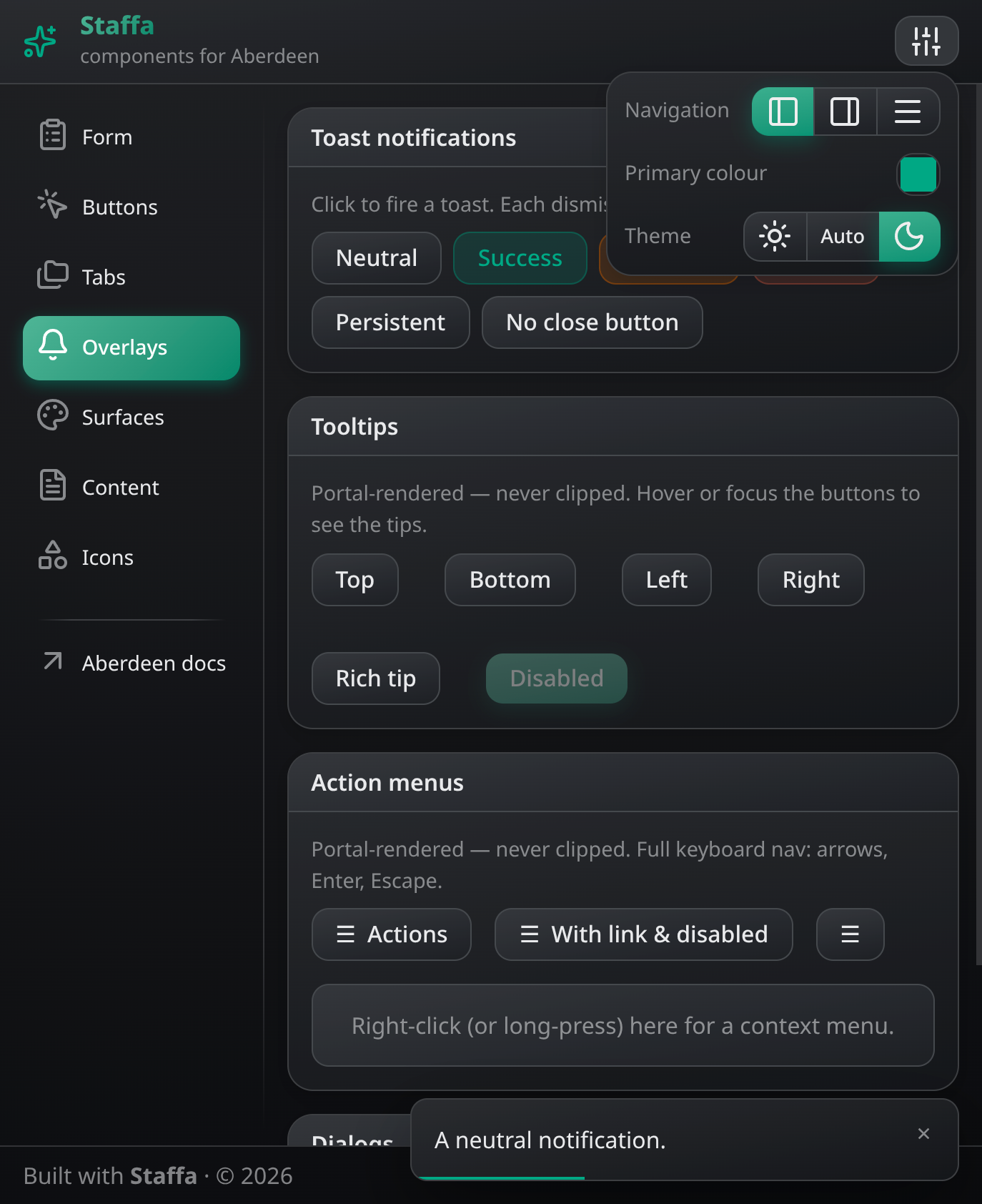
Staffa is made to look decent out of the box, but easily customizable at runtime.
Install
Section titled “Install”npm install staffa aberdeenAberdeen is a peer dependency. Staffa is published as ESM with TypeScript types.
Every option of every component is documented in TSDoc, on its …Options interface in src/ — and, for AI agents, in the generated API reference that ships in skill/. This README only covers what those can’t tell you.
How it works
Section titled “How it works”Components are functions
Section titled “Components are functions”Every component is a plain function taking a single typed options object and drawing DOM via Aberdeen. No classes, no web components. The S object collects them all. The options object may be an Aberdeen proxy, in which case mutating it updates the component in place:
S.box({ header: "Settings", content: () => { ... } });
const $btn = A.proxy({ content: "Save", disabled: false });S.button($btn);setTimeout(() => { $btn.disabled = true; }, 3000);   // button updates instantly
Rich text slots
Section titled “Rich text slots”Anywhere a component takes content — a label, a header, a button’s text, a dialog body — you can pass either a string or a () => void draw function. Strings render as rich text: *italic*, **bold**, `code`, [link](https://github.com/vanviegen/staffa/blob/main/path). All text is safely escaped.
S.button({ content: "Save **now**" });S.box({ header: "See the [docs](https://github.com/vanviegen/staffa/blob/main/docs)", content: () => { ... } });Surfaces
Section titled “Surfaces”Staffa builds on surfaces: elements marked .s-s that have their own background and derived text/border tokens. There are two families:
- Neutral surfaces —
.neutral(and the implicit page at:root). A calm neutral whose shade steps automatically with nesting depth, up to a cap. For cards, bars, popovers — anything that just holds content. No variants. - Accent surfaces —
.primary,.danger,.success,.warning,.link(a bare.s-sdefaults to primary). A bright fill with white ink, painted as a subtle single-colour gradient. They take a variant:.filled(default),.tonalor.outlined. A surface nested inside an accent surface is always rendered filled, so it can’t bleed into the vivid parent.
Components are built from these (S.button is a .s-s.primary, S.box a .s-s.neutral). Every component’s attrs option is an Aberdeen A() string, so overriding is easy:
S.button({ content: "Delete", attrs: ".danger" });S.button({ content: "Cancel", attrs: ".neutral" }); // neutral buttonS.box({ attrs: ".primary", content: () => { ... } });Inside any surface (including :root), CSS variables hold the background and a set of safe foreground colours: $s-bg, $s-text (also applied as color), $s-muted, $s-accent (the surface’s “pop” — the brand primary on neutral surfaces, the ink on accent ones) and $s-faint (hairlines). Use these and components adapt to wherever they’re nested.
The colour tokens themselves are mode-independent and settable: $s-primary (the one brand colour — it tints the neutrals and defines .s-s.primary), $s-danger, $s-success, $s-warning and $s-link (also the fill of the .s-s.link surface). Links render in $s-link on neutral surfaces, in the ink on accent ones.
Borders & shadows. Neutral surfaces carry a subtle hairline border on their own, so a card looks like a card without any component help. Any surface can be lifted with .shadow or .extra-shadow — a neutral drop shadow on a neutral surface, a self-coloured glow on an accent one, ignored on .tonal/.outlined. .no-shadow removes a component’s built-in shadow:
S.box({ attrs: ".extra-shadow", content: () => { ... } }); // a more raised cardS.button({ content: "Quiet", attrs: ".no-shadow" }); // drop the button glowDark and light modes
Section titled “Dark and light modes”Dark/light mode follows the OS preference by default. Override it (and persist the choice) with:
S.setDarkMode(true); // force darkS.setDarkMode(false); // force lightS.setDarkMode(undefined); // follow OSS.getDarkMode() reads it back, reactively. A buttonChooser is probably the right component for a colour scheme selector.
CSS reset
Section titled “CSS reset”Staffa includes a lightweight CSS reset that makes bare semantic HTML look a bit better, but unsurprising without additional styling.
Theming
Section titled “Theming”Theming usually starts and ends with setting some CSS variables. Everything derives from the single brand colour s-primary (the neutral surface shades are tinted toward it too). Set them through CSS directly, or through Aberdeen:
A.cssVars["s-primary"] = "#fdda58";A.cssVars["s-danger"] = "#ee4422";A.cssVars["s-radius"] = "4px";See src/theme.ts for the other variables in use.
Beyond that, add CSS to override the default styling. To add your own accent surface, set its background (and, if needed, its ink) — the gradient and the rest of the tokens follow automatically:
A.insertGlobalCss({".s-s.my-surface": "--s-bg:#ef6b00 --s-text:#fff"});
S.button({  content: "You'll want to click me",  attrs: ".my-surface",  click: () => S.alert("Good work!", {attrs: ".my-surface"})});
Custom surface class names may be anything other than the built-in modifiers (.tonal, .outlined, .small, .large). The .tonal and .outlined variants work on your surface for free.
For styling that differs per mode, wrap the above in A(() => { if (S.getDarkMode()) ... }): getDarkMode() is reactive, so the scope re-runs when the mode changes.
Panel-stack navigation
Section titled “Panel-stack navigation”Give S.main() a routes table instead of a content slot and it takes over navigation. Each route draws one screen of your app — a panel — and the shell shows as many panels as comfortably fit, each in its own column: one at a time on a phone, several side by side on a wider screen. The open panels form a stack, whose last member is the current panel — the one the URL names, and the rightmost column. Your code doesn’t know the difference.
const shell = S.main({  title: "Trackle",  nav: { items: [{ label: "Projects", href: "/projects" }] },  routes: {    "/projects": drawProjectList,    "/projects/[projectId]": drawProject,    "/projects/[projectId]/tasks/[taskId=integer]": drawProjectTask,  },  notFound: ($panel) => S.box({ header: "Not found", content: $panel.path }),});
function drawProject($panel: S.Panel<{ projectId: string }>) {  const { projectId } = $panel.params;    // typed from the route key  $panel.title = `Project ${projectId}`;  // the shell puts it wherever it fits  A(`a href=/projects/${projectId}/tasks/1 #Open the first task`);}
Each handler gets a $panel proxy: the params from its route, plus what the shell needs to know about the panel — title, actions, maxWidth, loading, pinned, unsaved, width, visible, close(), open(), stack. Set them whenever you like — long after the handler ran, when your data arrives — and the shell keeps up. Each field is documented in the API reference.
Route keys. [name] matches one segment as a string, [name=integer] one segment as a number, and a trailing [...name] the rest of the path as one raw (still percent-encoded) string. The first key that matches wins; a segment a param refuses falls through to a later route, or to notFound. TypeScript types each handler’s params from its own key. integer accepts only spellings that survive a round trip back to the same URL, so one record can never have two paths — use a plain [id] for ids that aren’t safe integers.
Navigating is just links. Write ordinary <a href="https://github.com/vanviegen/staffa/blob/main/..."> links; the shell handles the clicks (so don’t also call Aberdeen’s interceptLinks()). The three navigations differ only in how much of the link’s own context the target keeps:
- push (the default) opens on top of the panel the link sits in, closing everything after it — which is why clicking a second project replaces the open project instead of adding a third column.
- replace keeps everything under that panel but not the panel itself; what prev/next buttons want.
- open keeps none of it, giving the target its own stack, as a nav item does; for a search hit or a mention, where the panel you clicked from is coincidence, not context.
data-panel on the link picks one; linkNavigation sets the default for links without it. A link outside any panel (a nav item, one in a dialog) has nothing to build on, so it replaces the stack as a whole, exactly as a cold link to that URL would — panels the new stack also contains staying as they are. A link to a path that’s already open returns to it, closing what was stacked on top, rather than opening it twice; the same path is never in the stack twice.
The stack is an object, not a global. S.main() hands back the PanelStack — pushPanel, replacePanel, openPanelStack, closePanel, and the live, reactive panels / currentPanel / currentPanelIndex — and every panel gets that same object as $panel.stack, which is what a route handler uses, since it runs while the S.main() call is still going. Every navigation settles asynchronously (closes travel through the browser’s history), so each method returns a Promise<boolean>. Don’t hold a Panel across a navigation; read it fresh. To navigate on behalf of one particular screen — a row’s click handler — use that panel’s own $panel.open(href, how?), which does exactly what a link inside it does; pushPanel builds on the current panel instead.
Columns and widths. The content area is the window minus the nav sidebar, or S.main({ maxWidth }) of it, centred — the same width whatever is open, so the sidebar, top bar and footer never move. It divides into the fewest whole number of columns of at most 540px each, never narrower than 360px; $panel.maxWidth asks for one, two (the default), three of them or the lot. A column’s width depends only on the window, never on what else is open, so opening or closing a panel never resizes another. Its ask is a ceiling, never a floor: aim your layout at 360px and let it degrade gracefully below that. $panel.width is the resolved figure in pixels, correct before your handler draws. Columns that don’t fill the area centre in it; S.main({ alignment }) puts them "left", "right" or "spaced" (the leftover room shared out evenly beside and between them) instead.
A panel declares its chrome; the shell places it. A screen says what it is called and what it can do; everything else in its column — headings, cards, boxes — is the screen’s own content, drawn like any other.
function drawTask($panel: S.Panel<{ taskId: number }>) { $panel.title = "Task 42"; $panel.actions = () => S.button({ content: "Save", attrs: ".small", click: save }); S.box({ header: "Task 42", content: drawTaskForm }); // ordinary content}On a wide screen the title becomes the stack’s last crumb and Save sits in a quiet strip at the top of the column; on a phone the crumb is still there and Save moves into the top bar, where the app menu was. Nothing in your code measures the viewport. Two deliberate rules: actions are the screen’s verbs — Save, Delete, a menu — not a second way out, since going back is the crumbs’ job at every width and there is no back button even on a phone (a link among the actions builds on this panel at both widths); and title names the screen, it does not draw a heading — a screen that wants its name in its own body writes it there, where it owns the typography. A column’s body keeps a comfortable $3 of padding; write A("p:0") for edge-to-edge rows, since the draw function’s current element is the body.
The breadcrumbs are the navigation. The top bar’s second line writes the open panels out as breadcrumbs — Projects / Trackle / Task 42, the ones currently on screen in bold — leaving that line to the app’s subtitle only while the stack has nothing to add. Each crumb is an ordinary link back to its panel, closing what was stacked on top; the app’s name and logo link to home (/ by default, null links neither). Right-clicking a crumb offers Close and Pin: a pinned panel ($panel.pinned) survives navigation elsewhere, riding along beneath the new panel or parking out of sight, but not an explicit close. Escape closes the current panel, or steps left when it can’t, and at the stack’s start jumps to the navigation.
Unsaved work. $panel.unsaved marks a panel holding work that must not be lost — a dirty form, an upload in flight. It then cannot be closed, by anything: navigation and the back button park it instead (its crumb wearing a ●), close() and the crumb menu’s Close refuse, Escape steps left, and closing the browser tab runs into the browser’s own are-you-sure. The tab title carries a leading • while any open panel is unsaved. Only the app clears the flag:
A(() => { $panel.unsaved = $form.dirty || undefined; });   // the whole dirty check
S.button({ content: "Discard", attrs: ".neutral", click: () => {  $panel.unsaved = false;   // explicitly: the reactive scope above reruns too late  void $panel.close();}});
So a panel that can be unsaved needs its own way out — a Save or Discard among its actions. There is no “discard changes?” dialog anywhere: leaving is never blocked, the work just waits, parked, one crumb away.
Cold URLs. The URL holds the current panel; the rest of the stack — the panels before it, any parked after it, and which are pinned — rides in the browser’s history entry, so back and forward step through whole arrangements of columns and a reload brings the same ones back. A URL arriving without any of that (a shared link, a bookmark, a new tab) has nothing to restore, so Staffa builds the stack from the path: it walks the parent paths and opens each one you have a route for, so /projects/7/tasks/42 opens as three columns. A parent path you have no route for is skipped — so if you don’t want one screen appearing under another, just don’t give it a route.
That only works for URLs that spell their own context out. A flat one — /thread/[id], where a push notification lands — has no parent path to walk, so ancestors is where you say what belongs underneath. It’s keyed by the same path templates as routes, so each entry gets that key’s params, matched and typed:
S.main({ routes: { "/mailbox/[id]": drawMailbox, "/thread/[id=integer]": drawThread, }, ancestors: { "/thread/[id=integer]": ({ id }) => [`/mailbox/${mailboxOf(id)}`], // id is a number },});Return the paths shallowest first, or nothing to fall back to the parent-path walk — which is also what an unlisted route gets. It’s asked for every navigation that has no panel to build on, so a nav item and a fresh tab agree, and it is consulted before any handler has run, so it must answer without drawing anything. From code, openPanelStack(path, beneath?) opens the same kind of arrangement.
A few more things.
- Search params and the
#hashbelong to the current panel only; anything another panel needs in order to redraw itself has to live in its path. (A panel you browse away from does get its search and hash back when a crumb makes it current again.) - A closed panel is torn down at once: its
A.clean()hooks run the moment it closes, so subscriptions, timers and requests stop there and then. columns: "single"shows only the current panel however wide the screen — only the display changes. It,alignment,linkNavigationandmaxWidthare live: pass a proxied options object and a change is adopted in place, every panel keeping its state.- Only one routed
S.main()can be mounted at a time; a second one throws, since the URL is global. Nothing else is. - Aberdeen’s own
route.go()works, but builds the whole stack from the path; prefer the stack’s methods. A guard your app registered withroute.setGuardkeeps working — Staffa registers none of its own. - Deep links need your static server to serve the app for unknown paths (the usual SPA fallback;
-Pforhttp-server, as in the demo command below).
Waiting
Section titled “Waiting”A click handler — or a form’s submit — that returns a promise puts its button to work until that promise settles: a spinner rides after the label, and clicks (and Enter) bounce off, so a slow save can’t be started twice. There is nothing to wire up:
S.button({ content: "Save", click: () => api.save($user) });S.form({ submit: (data) => api.save(data), content: drawFields, actions: () => S.button({ content: "Save", type: "submit" }) });A form marks its own submit buttons, wherever they sit, and a handler that awaits a confirm() waits with it. For a wait that isn’t a promise, put a control in the same state yourself with attrs: ".s-busy".
Components
Section titled “Components”Every option of every component is documented in TSDoc on its …Options interface. Options share naming conventions: attrs (outermost element), contentAttrs (the children-holding element), inputAttrs (the form control) and <region>Attrs (headerAttrs, footerAttrs, …) — all Aberdeen attr/style strings, applied last so they can override. Form components consistently support label, help, error, disabled, required and name, and two-way binding through bind: A.ref($obj, "key").
- Layout & containers:
main(the app shell: sticky header, optional nav sidebar that collapses to a hamburger on narrow screens, scrollable content area or panel routes, footer;closeNavdismisses the collapsed nav),box,form,tabs,scrollStrip(+revealInStrip). - Form fields:
textline,textarea,checkbox,select,autocomplete. - Actions:
button,iconButton,buttonGroup,buttonChooser. - Overlays & feedback:
dialog(+alert,confirm,prompt),menu,menuButton,showFloatingMenu,addContextMenu,toast,addTooltip.
Buttons, icon buttons and menu items carry a tooltip option of their own, so most tips need no addTooltip call:
S.button({ content: "Publish", tooltip: "Not until the draft validates", disabled: true });S.iconButton({ icon: trash2, tooltip: "Delete" }); // says "Delete" on hover, and to screen readersA tooltip appears only where one is asked for; on an icon button, a string tooltip doubles as the ariaLabel when that is left out, so naming a glyph takes one option rather than two. A key is appended to whatever the tip says (tooltip: false keeps even that quiet), and — unlike a tooltip on a plain disabled <button>, which the browser gives no hover events — these show while disabled, which is where a tooltip earns its keep.
S.textline and S.textarea take a prefix and a suffix slot that put content inside the control — a search glyph, a unit, a clear or send button. The control’s text keeps clear of whatever they hold, and on a textarea they ride the bottom edge, which is where a send button belongs:
S.textline({ placeholder: "Search…", prefix: search, suffix: () => S.iconButton({ icon: x, tooltip: "Clear" }) });S.textarea({ placeholder: "Message…", bind: A.ref($chat, "text"), suffix: () => S.iconButton({ icon: send, tooltip: "Send", click: post }) });A plain glyph there lets the click through to the field it decorates; a button or a link takes it. Tell the field how tall to be (attrs: "h:20rem") and the textarea fills it, insets and all — a composer that fills its panel needs nothing else.
src/index.ts is the authoritative list of exports.
Keyboard shortcuts
Section titled “Keyboard shortcuts”Menu items and buttons take a key option, and S.bindKey(key, description, press) binds a shortcut with no button to carry it, for as long as the calling scope lives. A key is spelled "mod+k" (⌘ on a Mac, Ctrl elsewhere), "shift+f2", "mod+shift+b", or a bare "?" — case doesn’t matter, and no modifiers besides mod and shift are offered. Component shortcuts are announced to screen readers, and keystrokes a focused field or link owns are left to it. While a modal dialog is open only its own shortcuts fire, and binding a taken combination shadows the earlier binding until the new scope dies; bindKey’s docs describe the "global" and "local" modes that bend these rules. ? pops an overview of exactly what a keypress could do right now, given where focus is — a cheat-sheet, not a modal: any keypress closes it and still lands, and Esc merely dismisses it; S.setKeyHelp(false) turns it off. Omit press to merely list a key your app handles by other means.
Staffa ships the full Lucide icon set as named exports from staffa/icons. Import only the ones you use, so a bundler tree-shakes the rest (the whole set is ~82 kB gzipped). Each icon is a draw function usable anywhere a slot is accepted, or called directly:
import * as S from "staffa";import { sparkles, bell } from "staffa/icons";S.button({ content: "Save", icon: bell });sparkles({ size: "1.5em", color: "var(--s-primary)", strokeWidth: 1.5 });Options: size, color (defaults to currentColor), strokeWidth, cap, join, attrs — per call, or globally via setDefaults() from staffa/icons.
Browser (no bundler)
Section titled “Browser (no bundler)”staffa/all.js is a pre-built ESM bundle with all components, but not the icons. Use an import map:
<script type="importmap">{ "imports": { "aberdeen": "https://cdn.jsdelivr.net/npm/aberdeen/dist/src/aberdeen.js", "aberdeen/route": "https://cdn.jsdelivr.net/npm/aberdeen/dist/src/route.js", "aberdeen/transitions": "https://cdn.jsdelivr.net/npm/aberdeen/dist/src/transitions.js", "staffa/all.js": "https://cdn.jsdelivr.net/npm/staffa/dist/staffa.esm.js" }}</script><script type="module"> import A from "aberdeen"; import * as S from "staffa/all.js"; // ...</script>Extending Staffa
Section titled “Extending Staffa”Staffa is designed for extension: a component is simply a plain function taking a typed options object and drawing Aberdeen DOM. These principles are how the built-in ones are written, and how yours should be too.
Design principles
Section titled “Design principles”- Components are functions. They take one typed options object, emit Aberdeen DOM, and usually return nothing.
- Reuse option types. Define options by extending
ContentOptions(for layout components) orFieldOptions(for form controls) fromsrc/core.tsandsrc/components/field.ts. Don’t reinvent fields likeattrs,label,help, etc. - Reach for reactivity deliberately. Pass option strings straight to
Aas positional args (the caller’s scope). Only wrap a dedicatedA(() => ...)scope where it matters: input elements (recreation loses focus), or large subtrees you don’t want to redraw. UseA.peek(() => ...)when you need a value but must not subscribe. - Build on surfaces. Mark elements
.s-sand add.neutralor an accent role (.primary,.danger, …) plus an optional variant. Inside them, use the contextual CSS variables ($s-text,$s-bg,$s-muted,$s-accent,$s-faint, …) so components adapt to wherever they’re nested. Hard-coding colours shouldn’t be needed, but if you must, set both foreground and background. - No outer margins. Components don’t margin themselves; spacing is the parent’s job. Content components set default
paddingon the content element;contentAttrsoverrides it. - Make everything styleable. Provide
attrs,contentAttrs,inputAttrsand<region>Attrshooks so callers can customize. Applyattrslast so it can override component classes. - Use semantic HTML and ARIA. Prefer native elements (
<button>,<label>,<form>,<section>) and native behaviour. Add ARIA only where semantics fall short (e.g. tabs, combobox). - Use CSS. Use
A.insertGlobalCss({...})at module top level to provide (nested) CSS styling for your component. Give your top-level element thes-<component-name>class. Avoid inventing further classes; lean on nesting (&for the element, bare key for descendants) and element/structural selectors. - Reuse form controls. Use
drawField()and callapplyControlAttrs(). - Function over form. Provide enough contrast. Stick to UI conventions to help users; buttons have a rounded border, links are underlined, text input background is white, etc.
Adding a component to Staffa
Section titled “Adding a component to Staffa”The principles above are good advice for any project-specific component, but must be followed for one to be included in Staffa. In addition:
- Create
src/components/<name>.ts. - Define
<Name>OptionsextendingContentOptions,FieldOptions, or a plain interface. Add TSDoc on every option — that TSDoc is the API documentation. - Add a TSDoc
@exampleon the function. - Register in
src/index.ts(theSobject + type re-export). - Add it to the demo, cover it in the visual tests (
tests/*.spec.ts), and runnpm run buildandnpm run typecheck.
See src/components/button.ts and src/components/dialog.ts for examples.
Commands
Section titled “Commands”npm run build # compile TypeScript to dist/npm run typecheck # check typesnpx http-server -P "http://localhost:8080/demo/index.html?" # demo at http://localhost:8080/demo # (-P is the SPA fallback the demo's routed URLs need)npx shotest test # visual tests: click through the demo, screenshotting every stepnpx shotest review # review/accept the visual changes against the baselineThe visual tests (tests/*.spec.ts) need a build first (npm run build); they serve the repo root themselves and click through every demo page. Accepted baselines live in test-accepted/.
AI skill
Section titled “AI skill”For Claude Code, GitHub Copilot or any other agent that supports Skills, Staffa ships a skill/ directory holding this README plus the generated API reference. Symlink it into your project:
mkdir -p .claude/skillsln -s ../../node_modules/staffa/skill .claude/skills/staffaChangelog
Section titled “Changelog”What changed in each release, and what to do about the breaking ones, is in CHANGELOG.md.
Hint: the recommended update strategy for a library this young is: don’t. Pin it, and read the changelog before you move. This goes double if you’ve overridden Staffa’s CSS.